I use Obsidian a lot. It’s my personal knowledgebase. The best part is, using the dataview plugin, it’s highly scriptable.
I thought it would be nice to write a series of posts about some of my “power-user” workflows. This is one such post.
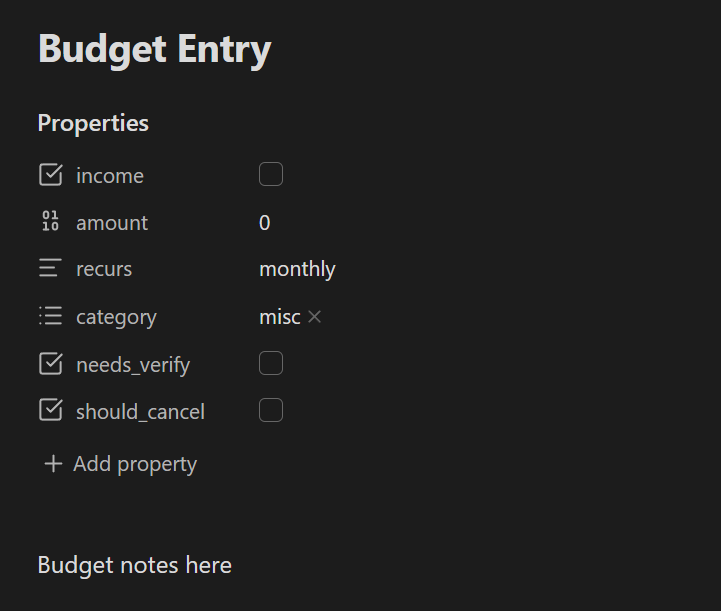
I manage my budget in Obsidian. The way it works is simple: Every recurring budget entry (income or expense) gets a note in the Budget Entries folder, e.g. Budget Entries/Amazon Prime.md or Budget Entries/Food Expenses.md.
Advantages of this approach:
- Entries are integrated with the rest of my knowledgebase (cross-linkable, searchable, etc.)
- Entries can contain arbitrary free-text notes.
- Entries are stored in plain files I control and can be parsed by the Dataview plugin to analyze however I want.
- Available on desktop and mobile via Obsidian Sync.
Caveats:
- This is a simple, high-level budgeting system that focuses on recurring expenses per month.
- No direct bank integation. Budget entries have to be tracked manually.
How it works
Budget entries use a consistent template like this:
---
income: false
amount: 0
recurs: monthly
category: misc
needs_verify: false
should_cancel: false
---

General notes about the budget entry, like dates,
account numbers, etc. go here.
I actually have a Budget Entry template that looks like that, so adding a new budget entry just means creating a new note, inserting the template, and filling it out.
Then, I use the Dataview plugin to generate a summary of my budget by aggregating all the entries in a Budget.md note. Create a dataviewjs code block as follows:
```dataviewjs
var ps = dv.pages('"Budget Entries"');
var expensesTotal = 0;
var incomeTotal = 0;
for (var p of ps) {
  if (p.income) {
    incomeTotal += p.amount;
  } else {
    expensesTotal += p.amount;
  }
}

var categories = {};
for (var p of ps) {
  if (p.income) continue;
  for (var c of Array.isArray(p.category) ? p.category : [p.category]) {
    if (!categories[c]) {
      categories[c] = 0;
    }
    categories[c] += p.amount;
  }
}

dv.header(2, "Summary");
dv.paragraph(`Expenses total: ${expensesTotal.toFixed(2)}`);
dv.paragraph(`Income total: ${incomeTotal.toFixed(2)}`);
dv.paragraph(`Extra income: ${(incomeTotal - expensesTotal).toFixed(2)}`);

dv.header(2, "Expenses by Category");
dv.table(["Category", "Amount"], Object.entries(categories));

dv.header(2, "Expenses");
dv.table(
  ["Name", "Amount"],
  ps
    .filter((p) => !p.income)
    .sort((p) => -p.amount)
    .map((p) => [p.file.name, p.amount]),
);

dv.header(2, "To Cancel");
dv.table(
  ["Name", "Amount"],
  ps
    .filter((p) => p.should_cancel)
    .sort((p) => -p.amount)
    .map((p) => [p.file.name, p.amount]),
);
```
The resulting budget report looks like this (obviously, using some random fake data):
Summary
Expenses total: $932
Income total: $1500
Extra income: $568
Expenses by category
Category Amount food 200 housing 700 misc 32 Expenses
Name Amount Rent 550 Food 200 Utilities 150 Claude 20 Amazon Prime 12 To Cancel
Name Amount Amazon Prime 12
